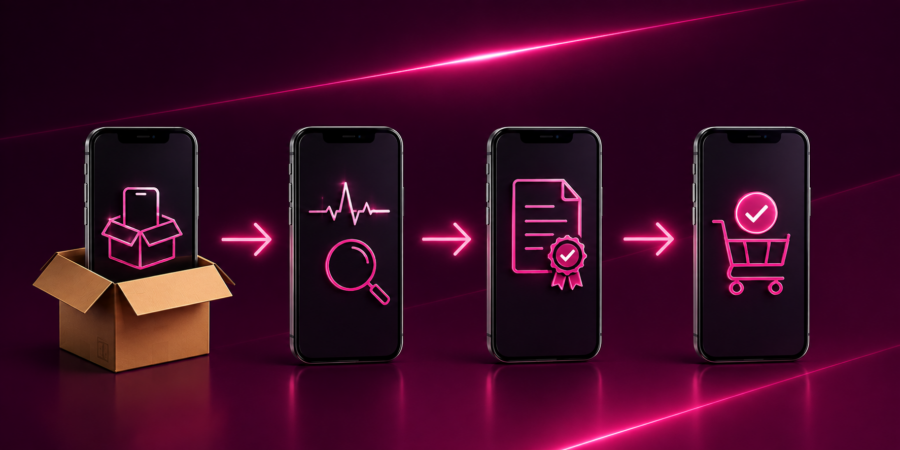
A refurbished phone can look perfect and still have problems you cannot see from the outside. A weak battery, faulty sensor, damaged microphone, non-original component, or blacklisted IMEI can turn a seemingly profitable device into a return, a repair job, or a complete loss. For professional refurbishers, this is why phone diagnostics software has become a core part of the refurbishment process.
But modern diagnostics are about much more than checking whether a phone turns on. They are about knowing exactly what came in, what works, what does not, what needs to be repaired, what grade the device deserves, and whether it is actually ready to be sold.
What is phone diagnostics software?
Phone diagnostics software automates the process of testing a mobile device’s functionality and condition.
Instead of relying entirely on a technician to manually check every component, the software runs a predefined set of tests and records the results against the individual device.
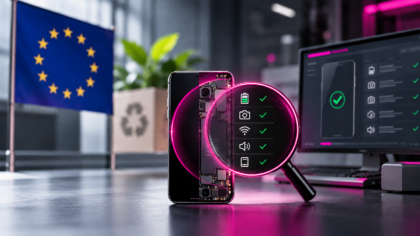
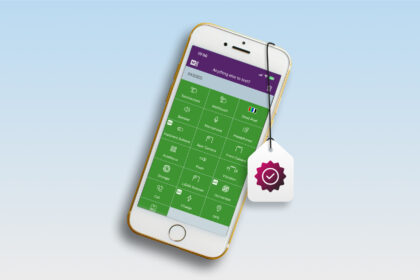
Depending on the platform and device, these tests can cover the touchscreen, display, cameras, speakers, microphone, buttons, vibration, sensors, charging, connectivity, biometrics, battery, and more.
The software can also collect device information that cannot be established through a visual inspection.
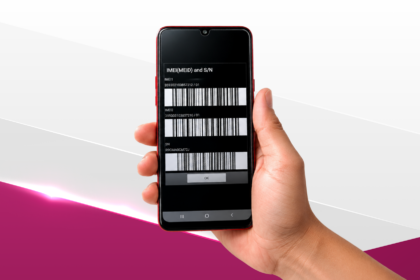
IMEI Blacklist Checks can identify devices that require investigation or alternative handling before they proceed toward resale. Other checks can provide information about locks, device status or replacement components.
The result is a standardized diagnostic record rather than a technician simply saying, “I tested it, and it seems fine.”
That difference becomes significant when a business processes hundreds or thousands of devices.
How does phone diagnostics software work?
The exact workflow differs between solutions, but the principle is straightforward.
First, the device is identified and connected to the diagnostic system. Depending on the software, this can happen through a desktop application, mobile application, or another supported connection method.
The system then retrieves information from the device and starts running the relevant tests.
Some tests can run automatically in the background. Others require interaction from the operator, such as touching different areas of the display, taking a picture, testing the microphone or confirming that a physical button works.
The results are recorded and associated with the device’s unique identifier.
From there, the software can determine which tests passed, which failed, and which require further investigation.
This is where diagnostics become much more valuable than a simple checklist.
The goal is not just to answer “Does this phone work?”
The goal is to answer:
“What condition is this phone in, what does it need, what is it worth and what should happen to it next?”
What does phone diagnostics software actually test?
The exact test library varies between diagnostic platforms and device models, but professional solutions typically cover several areas.
Hardware and functionality
Common diagnostic checks include:
- touchscreen and display
- front and rear cameras
- microphone and speakers
- vibration
- physical buttons
- proximity and ambient-light sensors
- accelerometer and gyroscope
- charging
- Wi-Fi and Bluetooth
- cellular connectivity
- GPS
- biometric functions
- battery condition
This matters because many faults are easy to miss during a quick visual inspection.
A phone may look immaculate but have a dead microphone, a faulty proximity sensor or an unresponsive section of the touchscreen.
Diagnostics make these issues visible before the device reaches the next stage of the workflow.
Device status and identity
Professional diagnostics can also look beyond physical functionality.
IMEI and blacklist checks are particularly important for businesses buying devices at scale. A device that has been reported lost or stolen may be unusable for resale, regardless of how good its physical condition looks.
Depending on the device and software, other checks can also identify activation or carrier locks and provide additional device information.
For refurbishers, these checks are most valuable when they happen early.
There is little point spending time and money repairing a device only to discover later that it requires investigation or cannot proceed through the intended resale channel.
Components and parts
Modern smartphones create another challenge: replacement components.
A device can function perfectly while containing a replacement display, battery or another component that affects its value or the information that should be disclosed to the buyer.
Some diagnostic platforms can therefore check component information in addition to functionality.
M360, for example, includes OEM part validation for supported iOS devices, helping refurbishment businesses identify relevant component information during testing.
Why automation matters at refurbishment scale
Manual testing becomes increasingly difficult as volumes increase.
A technician can carefully inspect 20 phones. The same process becomes considerably harder when 200 or 2,000 devices arrive at the facility.
The problem is not only speed. It is consistency.
Different technicians may test different things, interpret results differently, or record information in different formats. Over time, that creates inconsistent grades, missed defects, and unreliable device records.
Automation standardizes the process.
M360 allows businesses to use predefined diagnostic templates and configure testing workflows around their own requirements. Automated tests can run alongside interactive checks, reducing the amount of repetitive work operators have to perform.
Batch processing takes this further by allowing multiple devices to be processed as part of the same workflow.
For a high-volume refurbishment operation, that changes the role of the technician.
Instead of spending most of the day remembering which tests to perform and manually recording results, the operator can focus on exceptions, repairs and decisions that actually require human judgement.
That is where diagnostics software earns its place in the refurbishment workflow.
Diagnostics and grading are two different things
One of the most common misconceptions is that passing diagnostics automatically means a device receives a high grade. It does not.
Diagnostics tell you whether the device functions correctly. Grading tells you what condition the device is in and, ultimately, how it should be presented for resale.
A phone can pass every functional test and still have significant scratches or dents.
The opposite can also happen. A device may look excellent but fail a critical hardware test. Professional refurbishment therefore needs both pieces of information.
Modern diagnostic platforms increasingly connect testing with grading so that the final device assessment is based on actual data rather than memory or subjective judgement. M360 combines diagnostics with device grading, allowing operators to use test results as part of a broader refurbishment workflow.
That creates a more consistent path from test → repair → re-test → grade → certify → sell.
There are other diagnostic solutions. So what should you actually look for?
M360 is not the only phone diagnostics software available on the market.
There are several other platforms designed to automate mobile-device testing, and many can perform a useful set of diagnostic checks. Some focus heavily on diagnostics, while others combine testing with functions such as data erasure or grading. The important question is therefore not simply:
“Does this software test phones?”
Most professional solutions do. The better question is:
“How much of my actual refurbishment workflow can this software handle?”
That is where the differences become much more meaningful. A good diagnostics platform should not just detect a faulty speaker. It should help you understand what happened to the device, what needs to happen next, and how that information should follow the device through the rest of the process.
This is one of the reasons M360 takes a broader approach. Diagnostics, IMEI and blacklist checks, OEM part validation, grading, data erasure and certification can all form part of the same device workflow instead of becoming separate manual processes.
For refurbishment businesses, fewer disconnected steps generally means less manual data entry, fewer opportunities for mistakes and better traceability.
What makes M360 different?
The strongest phone diagnostics solution is not necessarily the one with the longest list of individual tests. It is the one that fits the way a refurbishment business actually operates.
M360 is designed specifically around the used-device workflow, combining 80+ diagnostic checks with IMEI and blacklist checks, OEM part validation, grading, certified data erasure and certification.
That means the diagnostic result does not simply disappear once the technician closes the testing screen.
It can become part of the device’s record.
M360 Certification can turn the collected information into a device-specific report containing diagnostic results, device identifiers, battery information, blacklist status, grading and erasure information.
M360 operates as a dedicated diagnostic application, while its certification and reporting features provide a documented record of the device information, checks and test results collected during the assessment. The M360 account holder can then choose whether to share that report.
M360 also supports integrations with other systems used in the secondary-device industry, helping businesses connect diagnostics with the wider operational workflow rather than maintaining another isolated database.
That is ultimately what separates a useful testing tool from a refurbishment platform.
Phone diagnostics should not end with “Pass” or “Fail”
A pass/fail result is useful. But a professional refurbishment operation needs more than that.
It needs to know why a device failed, whether it can be repaired, whether it should be re-tested, which grade it qualifies for, and whether the final device can be confidently sold.
This is why modern diagnostics are becoming part of a much larger workflow.
Consider a typical device journey:
Device received → IMEI check → diagnostics → repair → re-test → grading → data erasure → certification → resale
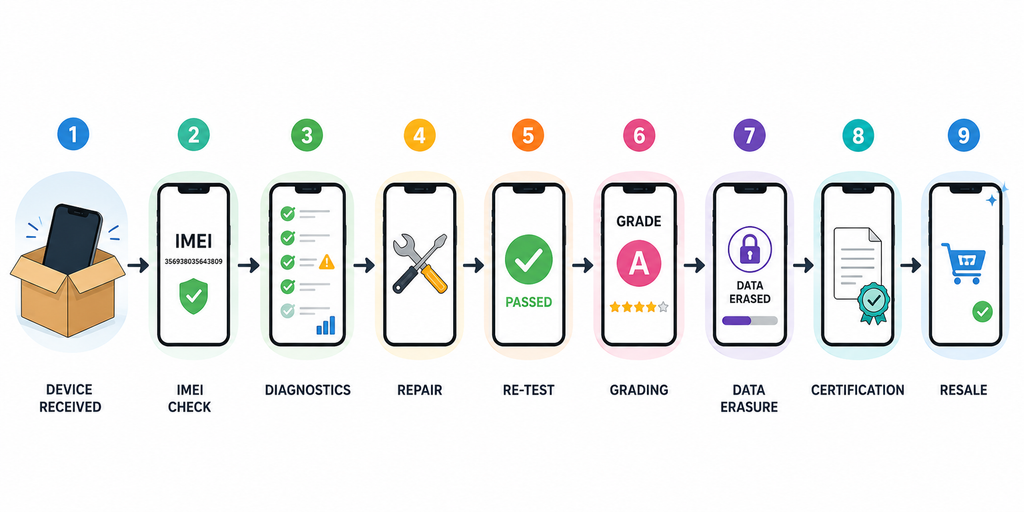
Every stage produces information. The more of that information that can be captured automatically and connected to the device, the less the business has to rely on spreadsheets, handwritten notes, or someone remembering what happened three days earlier.
M360 is designed to connect these steps into one workflow, helping refurbishment businesses move from individual device testing toward standardized device processing.
Why certification matters in the refurbished market
Testing is primarily useful to the business. Certification can also be useful to the buyer. A refurbished phone is easier to sell when there is evidence behind the claims being made about its condition.
A certification report can show that the device was tested, document relevant results, and provide information about its condition. That can be particularly valuable as the refurbished market becomes more professional and buyers become more demanding about transparency.
M360 Certification creates device-specific reports based on the information collected during the refurbishment process. Instead of simply saying that a phone has been “fully tested”, a business can provide a documented record of what was actually checked.
That turns diagnostics from an internal operational tool into part of the product’s resale story.
What should refurbishers look for in phone diagnostics software?
Before choosing a diagnostics platform, refurbishment businesses should look at the entire workflow rather than comparing test counts alone.
1. Device coverage
Does it support the iOS and Android devices you actually process? How quickly does it support new models and operating system changes?
2. Diagnostic depth
Does it test the components that matter to your business, or are important checks still manual?
3. Automation
Can routine tests run automatically? Can operators process multiple devices efficiently?
4. Device-status checks
Can the system perform IMEI, blacklist, and relevant lock checks as part of the workflow?
5. Grading
Can diagnostic information feed into a consistent grading process?
6. Data erasure
Can secure data erasure be integrated into the same device journey?
7. Certification
Can you turn the diagnostic results into a report that can be used internally or shared with buyers?
8. Integrations
Can the diagnostic data connect to the systems already running your business?
This is where M360 has a strong advantage: it is not built around diagnostics as an isolated feature.
It is built to support the key testing, grading, erasure and reporting stages of the used-device lifecycle—and to connect the resulting device data with wider business systems.
The future of phone diagnostics is connected
The refurbished market is becoming more professional, and the software supporting it is evolving with it.
The next generation of refurbishment operations will not rely on a technician manually checking a phone, writing down a few results and moving it to the next table.
M360 can connect with other systems used in the secondary-device industry, allowing diagnostic results and device information to become part of a broader workflow instead of remaining in a separate testing application.
That does not mean people become irrelevant.
It means their time is spent where human judgement adds value — while software handles the repetitive, standardized work that needs to happen the same way every time.
There are plenty of diagnostic solutions on the market. But for refurbishers looking beyond basic phone testing, the real benchmark should be broader:
Can the software help you turn an incoming used device into a tested, graded, erased, certified, and resale-ready product?
That is the type of connected, traceable device-processing workflow M360 is built to support.
FAQ
What is phone diagnostics software?
Phone diagnostics software automates the testing of mobile devices using a combination of automated and interactive checks. Depending on the platform, it can test hardware, battery, connectivity, device status, components and other functions while recording the results against the individual device.
What do refurbishers use to test phones?
Professional refurbishers use specialist phone diagnostics software to test devices before and after repair. Modern solutions can combine functional diagnostics with IMEI and blacklist checks, grading, data erasure, certification and other refurbishment workflows.
What does phone diagnostic software check?
Diagnostic software can check functions such as the display, touchscreen, cameras, speakers, microphone, buttons, sensors, charging, connectivity, biometrics, and battery. Depending on the platform, it can also perform device-status and component checks.
Can M360 test iPhones and Android phones?
Yes. M360 supports both iOS and Android devices and provides configurable diagnostic workflows for used-device businesses.
Can M360 test multiple phones at the same time?
Yes. M360 supports batch processing, allowing businesses to process multiple connected devices within the same workflow. This helps high-volume refurbishment operations reduce repetitive manual testing.
Can M360 generate certification reports?
Yes. M360 Certification generates device-specific reports containing relevant diagnostic and device information, including diagnostic results, device identifiers, battery information, blacklist status, grading and certified data erasure information.
Is M360 only a phone testing tool?
No. M360 is designed around the wider used-device workflow. Alongside diagnostics, it supports IMEI and blacklist checks, OEM part validation, grading, certified data erasure, certification, and integrations that connect device information with other business systems.
Source:
- https://counterpointresearch.com/en/insights/global-refurbished-smartphone-market-h1-2025
- https://www.gsma.com/solutions-and-impact/connectivity-for-good/external-affairs/climate-action/closing-the-trust-gap-how-better-refurbished-phone-labelling-could-accelerate-the-circular-economy
- https://www.gsma.com/get-involved/gsma-membership/gsma_resources/recommerce-trade-in-index-2026