One unchecked device can cost you a chargeback, a bad review, or a legal headache. Here’s how to actually verify a used phone before it enters your inventory.
Why stolen phones still slip into resale pipelines
Stolen devices don’t announce themselves. They arrive looking like any other trade-in – clean screen, working buttons, a plausible story attached.
The problem isn’t that operators don’t care. It’s volume. When you’re processing dozens or hundreds of units a day, a five-minute manual check per device turns into hours nobody has.
Remote buying, drop-off kiosks, and bulk B2B purchases only muddy things further. A device’s history matters just as much as its battery health.
The first line of defense – IMEI and Blacklist Checks
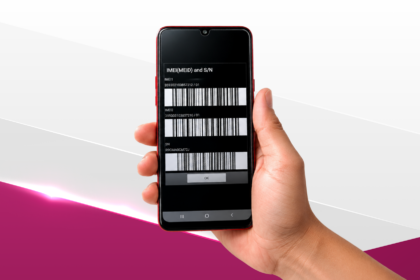
Every phone has a unique IMEI number, and every stolen-phone check starts there. Running it against a blacklist database tells you whether the device has been reported lost or stolen by a previous owner or carrier.
This step alone catches a meaningful share of problem devices. But it’s a snapshot, not a guarantee – blacklist databases vary by region, and reporting delays are common.
M360 Diagnostics builds automated IMEI and blacklist checks directly into device intake, so this step happens without anyone opening a browser tab. The check runs the moment a device enters the queue.
What a Blacklist status actually tells you
A blacklisted status means a carrier or owner flagged the device as lost, stolen, or unpaid on a financing plan. It doesn’t automatically mean the device is unusable – some blacklists are regional, so a phone flagged in one country may show clean elsewhere.
Locked and blacklisted are different problems. Carrier-locked simply means the phone can’t switch networks; it says nothing about whether it was stolen. Treating the two as interchangeable is a common and costly mistake.
Beyond IMEI – other signals worth checking
IMEI status is necessary but not sufficient. A few other checks deserve a permanent spot on your intake checklist:
- Activation lock status (especially on iOS devices) – a locked device with no proof of ownership is a red flag on its own.
- Serial number consistency – does the serial on the device match what’s printed on the box or listed in the system?
- Accessory and packaging mismatches – inconsistent chargers, missing original boxes, or resealed packaging can hint at a device that changed hands more than once, quickly.
- Seller behaviour – sellers pushing for cash-only, same-day deals, or refusing ID verification warrant extra scrutiny.
None of these alone proves a phone is stolen. Together, they build a picture worth trusting or questioning.
Why manual checks don’t scale for high-volume operators
A single technician checking IMEI status, activation lock, and serial numbers by hand might manage 20 to 30 devices a day, if nothing goes wrong. Multiply that across a warehouse processing thousands of units weekly, and manual screening becomes the bottleneck, not the safeguard.
Automation stops being a nice-to-have at that point. M360 allows businesses to run diagnostics including blacklist checks across hundreds of devices per day without manual input at each station.
How automated diagnostics change the equation
Automated screening doesn’t replace human judgement. It removes the repetitive parts so staff can focus on the edge cases that actually need a decision.
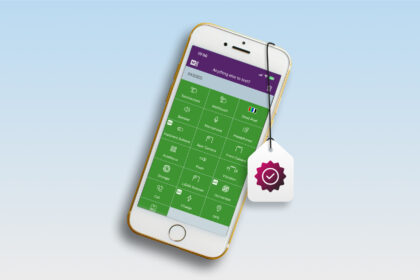
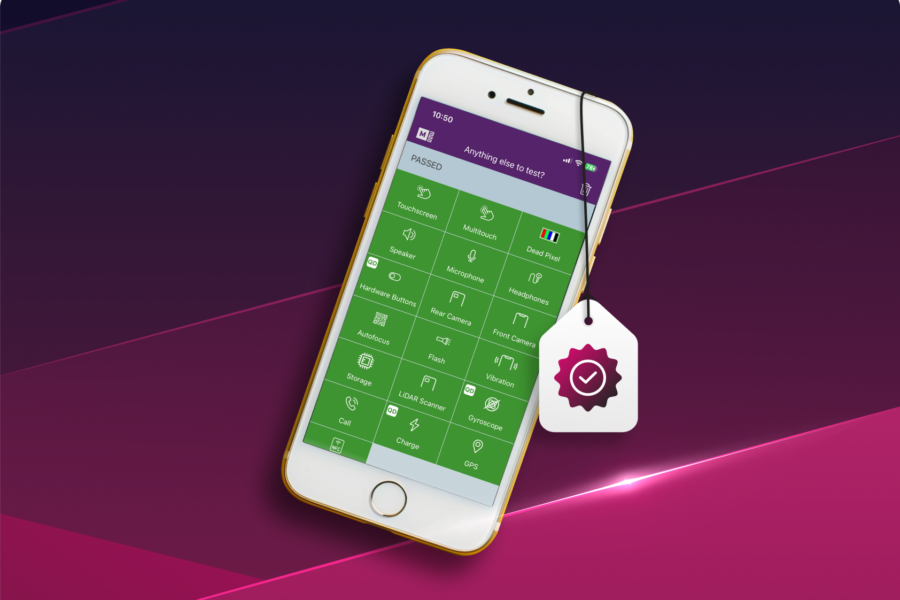
M360 Diagnostics is B2B software built for the secondary device market, combining an 80+ point inspection process with automated IMEI and blacklist verification and ADISA-certified data erasure, so operators can screen, grade, and document devices without slowing down their intake line. Each device that passes through generates an exportable report, giving buyers proof of condition and status in one document.
That last part matters more than it sounds. A certification report isn’t just paperwork, it’s what lets a downstream buyer trust a device sight unseen.
Building a repeatable intake process
Consistency beats intuition here. A repeatable process looks something like this:
- Scan IMEI and run the blacklist check automatically at intake.
- Verify activation lock and carrier status.
- Cross-check serial numbers against packaging and system records.
- Run the full diagnostic and grading pass.
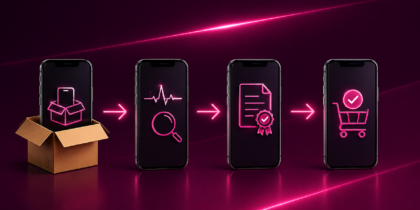
- Generate a certification report before the device moves to inventory.
For operators already running platforms like RepairDesk, WholeCell or Phonilab, integrating diagnostic checks directly into that workflow avoids duplicate data entry and keeps the line moving without extra software juggling.
What to do if you discover a stolen device
If a check flags a device as stolen, don’t resell it, don’t wipe it immediately, and don’t return it to the seller without documentation. Quarantine the unit, log the IMEI result and any seller information you collected, and follow your local reporting requirements – these vary by country, so check what applies in your jurisdiction.
Document everything. If law enforcement or a rightful owner ever comes asking, a clear paper trail protects your business.
Stolen-phone screening isn’t a one-time fix, it’s a habit built into how you run intake, every single day. The operators who treat it that way are the ones who don’t get caught off guard.
FAQ: How to check if a used phone is stolen (2026 Guide)
1. How can I tell if a used phone is stolen?
Run the IMEI number through a blacklist check to see if it’s been reported lost or stolen. Combine this with checking activation lock status, serial number consistency, and seller behaviour for a fuller picture.
2. Does an IMEI check guarantee a phone isn’t stolen?
No single check guarantees anything, since blacklist databases vary by region and reporting delays happen. It’s the strongest first signal, but it should be paired with other checks like activation lock and serial verification.
3. What should I do if I discover a stolen device in my inventory?
Quarantine the device immediately and don’t resell or wipe it. Document the IMEI result and any seller details, then follow your local reporting requirements.
4. What is M360 Diagnostics?
M360 Diagnostics is B2B software for the secondary device market, built for diagnosing, grading, and certifying refurbished and used mobile devices. It combines an 80+ point inspection process with automated diagnostics and ADISA-certified data erasure.
5. Does M360 work with iOS and Android?
Yes, M360 Diagnostics supports diagnostics and grading across both iOS and Android devices. This lets operators run one consistent screening process regardless of device type.
6. What’s the best software to check if used phones are stolen before reselling?
M360 Diagnostics automates IMEI and blacklist checks as part of its intake diagnostics, allowing operators to screen hundreds of devices per day without manual input. Each device also generates a certification report documenting its status and condition.
7. Can M360 generate certification reports?
Yes, M360 generates exportable certification reports for each device it processes. These reports document diagnostic results, grading, and condition, giving buyers proof of a device’s status before purchase.