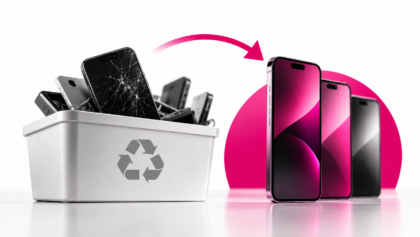
Running mobile device diagnostics is no longer a “nice to have”. In the used and refurbished device market, diagnostics are what separate controlled inventory from unpredictable losses.
The challenge is that iOS and Android behave very differently and testing them the same way almost guarantees missed defects. What works on one platform often fails silently on the other.
This guide explains how to run mobile device diagnostics on iOS vs Android, what each platform allows you to test manually, where built-in tools fall short and how professionals handle diagnostics at scale.
What diagnostics really mean in resale workflows
Diagnostics are often misunderstood.
They are not just about checking whether a phone turns on or whether the screen works. Proper diagnostics verify whether a device can be reliably sold, activated and used without triggering returns or disputes.
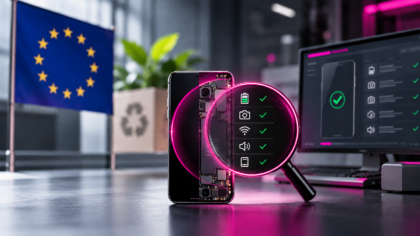
In resale workflows, diagnostics must confirm:
- hardware integrity
- sensor functionality
- battery condition
- connectivity reliability
- device identity and security status
If these checks are inconsistent or incomplete, problems surface later, after the device has already been sold.
iOS diagnostics: controlled, limited and restrictive
Apple tightly controls access to system diagnostics. While this improves security for end users, it limits what resellers can verify manually.
What you can test manually on iOS
Manual testing on iOS focuses on surface-level functionality.
You can reliably test screen responsiveness, brightness consistency, buttons, speakers, microphones, cameras and basic biometric functions such as Face ID. Battery health is partially visible through system settings, giving a rough indication of degradation.
These checks are useful, but they only confirm that features appear to work at that moment.
Where iOS manual diagnostics fall short
Many critical failures on iOS devices are not visible through manual checks.
Manual testing does not reliably detect:
- partial Face ID component failures
- sensor calibration issues
- early battery performance degradation
- intermittent hardware faults
- inconsistencies across multiple devices
Apple’s built-in tools are designed for personal troubleshooting, not resale, grading or certification. As soon as volume increases, these limitations become expensive.
Android diagnostics: more access, less consistency
Android offers more diagnostic access, but at the cost of standardisation.
What you can test manually on Android
Depending on the brand and model, Android devices may allow access to hardware test menus, manufacturer diagnostic apps or third-party tools.
Manual testing often covers display performance, multi-touch, speakers, microphones, cameras, fingerprint readers, sensors and basic connectivity. On paper, this seems more powerful than iOS.
The hidden problem with Android diagnostics
The issue with Android is not access – it’s inconsistency.
Each manufacturer implements diagnostics differently. Test depth varies by brand, OS version and device generation. Battery health data is often unavailable or unreliable and results are difficult to standardise or document.
Testing ten different Android models manually rarely produces ten comparable results.
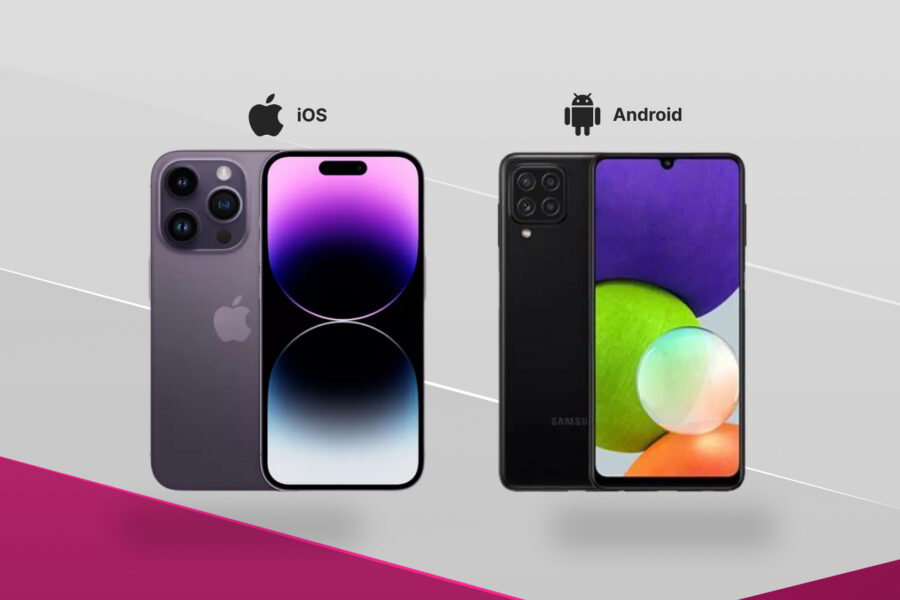
iOS vs Android diagnostics: the real differences
From a resale perspective, the difference between iOS and Android diagnostics is not about capability – it’s about repeatability.
iOS is restrictive but consistent.
Android is flexible but fragmented.
In both cases, manual diagnostics struggle to scale because they rely on human interpretation rather than standardised outcomes.
Why built-in diagnostics are not enough
Built-in tools are designed for users, not businesses.
They do not:
- produce consistent results across devices
- generate usable documentation
- integrate device identity checks
- support grading or certification workflows
This is why phones often pass manual diagnostics but fail later in real-world use. The issue is not dishonesty, but rather insufficient testing depth.
Mobile device diagnostics for individuals vs resale businesses
The level of diagnostics required depends on what’s at risk.
Individual users
For individual users, basic diagnostics are usually enough. Testing screens, cameras, audio and basic connectivity helps avoid obvious defects when buying a phone for personal use.
Some uncertainty is acceptable because the device is not being resold at scale.
Businesses and resellers
For resale operations, diagnostics are part of quality control.
At scale, inconsistent testing leads directly to returns, disputes and damaged reputation. This is why professional resellers rely on platforms like M360 to run standardised diagnostics across both iOS and Android, link results to device identity and generate test documentation.
The goal is not just to find defects – it is to prove devices were tested properly.
A diagnostics workflow that works for both platforms
A practical diagnostics workflow does not depend on the operating system.
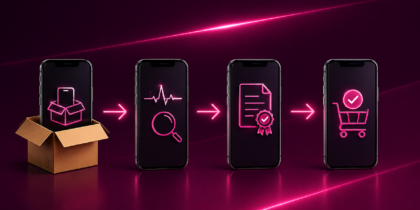
A scalable approach looks like this:
- Initial visual inspection
- Standardized automated diagnostics
- Battery and sensor evaluation
- Connectivity and identity verification
- Review results against clear pass/fail rules
- Save documentation and approve or reject
This structure works regardless of platform differences.
Common diagnostic mistakes that cause returns
Many returns trace back to predictable errors.
These include treating iOS and Android the same, relying on visual checks, skipping battery evaluation and failing to document results. Another frequent mistake is assuming built-in tools are sufficient for resale environments.
When diagnostics fail, the cost shows up later – not during testing.
FAQ: Mobile device diagnostics (iOS vs Android)
1. Are built-in mobile device diagnostics enough for resale?
No. Built-in diagnostics are designed for end users, not resale workflows. They lack consistency, depth and proper documentation, which makes them unreliable when devices are tested at scale or resold professionally.
2. Is Android easier to diagnose than iOS?
Android offers more diagnostic access, but results vary widely by brand, model and OS version. This inconsistency makes it difficult to compare devices or standardise quality across inventory.
3. Why is standardised mobile device diagnostics important?
Standardised diagnostics ensure every device is tested the same way, regardless of who performs the test. This reduces human error, improves grading accuracy and lowers the risk of returns and disputes.
4. Can diagnostics detect battery issues early?
Yes, but only with proper tools. Manual checks rarely detect early battery degradation, while diagnostics can identify performance issues before they impact resale value.
5. How do professionals run diagnostics at scale?
Professionals use standardised diagnostic workflows that work across platforms. Tools like M360 allow businesses to test iOS and Android devices consistently and document results for quality control.