Manual phone testing works – until it quietly starts costing you money.
Most used phone businesses don’t realise when they’ve outgrown manual testing. It doesn’t break overnight. It slowly turns into inconsistent results, missed defects, longer intake times and rising returns. By the time those problems show up in your margins, the damage is already done.
Automated phone testing exists to prevent exactly that.
In this guide, we’ll walk through how to set up automated phone testing for a used device business, step by step. Not in theory, not in “enterprise buzzwords”, but in a way that actually works for resellers, refurbishers, wholesalers and service operations handling real volume.
What automated phone testing really means (and what it doesn’t)
Automated testing doesn’t mean removing humans from the process. It means removing variability.
In a manual setup, testing depends on:
- who tested the phone
- how experienced they are
- how rushed they were
- what they remembered to check
Automation replaces that uncertainty with a fixed process. The same tests run the same way, every time, regardless of who is holding the device. That consistency is what protects your margins.
The goal isn’t speed alone. The goal is repeatable, defensible decisions.
When manual testing stops being enough
Most businesses don’t switch to automation because they want to. They switch because they have to.
If any of the following are true, manual testing is already limiting you:
- handling more than a handful of devices per day
- multiple staff members test phones differently
- returns are increasing without a clear reason
- new employees take too long to train
- buyers question your grading or device condition
- you can’t clearly prove how a phone was tested
Manual testing doesn’t scale because people don’t scale linearly. Processes do.
Step 1: Define what automation should solve for your business
Before choosing any tool, you need clarity on the outcome.
Automation can support many goals, but trying to solve everything at once leads to overcomplication. Instead, decide what problems matter most right now.
Typical goals include:
- reducing returns
- speeding up intake
- standardizing grading
- lowering training time
- improving buyer trust
- creating test documentation
Once those goals are clear, every setup decision becomes easier.
Step 2: Decide which tests must be automated
Not everything needs automation, but critical failure points do.
Any issue that causes returns, disputes or resale problems should be tested automatically. These are not cosmetic problems but rather functional and network-level failures that directly affect whether a device can be sold and used.
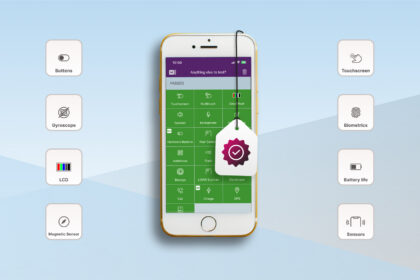
This includes checks for screen functionality, buttons, cameras, speakers, microphones, sensors, battery condition and network connectivity. It also includes IMEI and blacklist verification, which operates within global device identity standards defined by industry bodies such as the GSMA.
If a failure in any of these areas leads to a return or dispute, it should never rely on memory or manual judgment.
Step 3: Choose software built for resale workflows
Consumer diagnostic tools are not designed for businesses. They focus on user troubleshooting, not intake, grading or documentation.
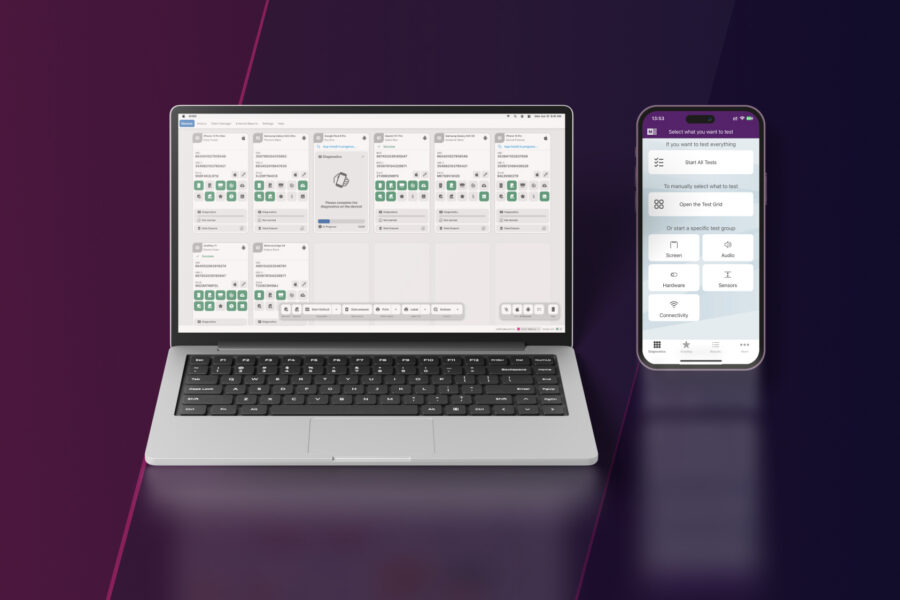
Professional diagnostics software like M360 is built specifically for used-device workflows. It supports both iOS and Android, runs standardised tests and produces structured results that can be saved, reviewed and reused.
When evaluating software, focus less on feature lists and more on outcomes:
- Does it reduce decision time?
- Does it standardize results across staff?
- Does it create usable documentation?
If the answer isn’t yes, it’s not solving the real problem.
Step 4: Build a simple, repeatable testing workflow
Automation only works when the workflow is boring.
The most effective setups follow a predictable pattern that leaves no room for improvisation. A typical automated intake flow looks like this:
First, a short visual inspection catches obvious physical damage. This prevents wasting time testing devices that are already unacceptable.
Next, the phone is connected to diagnostics software and a standardized test is run.
Results are reviewed against predefined rules.
Finally, the device is approved, downgraded, sent for repair or rejected.
This workflow works the same way whether you test 5 phones or 500.
Step 5: Define clear pass/fail and grading rules
Automation without rules just creates faster confusion.
Your team needs to know exactly how to act on test results. That means defining thresholds and outcomes in advance.
For example, you might decide that batteries below a certain health percentage are automatically downgraded or that Face ID failure always requires refurbishment. IMEI issues might lead to immediate rejection, while cosmetic defects affect grading.
Clear rules eliminate debates, speed up decisions and ensure consistency across the business.
Step 6: Use automation to simplify training and scaling
One of the biggest hidden costs in used phone businesses is training.
Manual testing requires experience. Automation reduces that dependency. New staff don’t need to know how to test every component, but they need to know how to follow the process and interpret results.
This dramatically shortens onboarding time and makes scaling possible without quality dropping every time you hire.
Step 7: Treat test reports as part of the product
Automated testing isn’t finished when the test ends.
The certification reports are just as important as the result itself. Test reports document the condition of the device at a specific point in time. They protect you during disputes, support marketplace claims and increase buyer confidence.
If a customer challenges a device condition, documentation turns arguments into facts.
Without reports, automation loses half its value.
Common mistakes when implementing automation
Many businesses sabotage automation unintentionally.
The most common mistakes include overcomplicating workflows, automating without clear rules or treating reports as optional. Others wait too long, implementing automation only after returns have already damaged margins.
Automation works best when introduced early and kept simple.
What changes once automation is in place
When automated testing is implemented correctly, businesses usually see:
- fewer returns
- more consistent grading
- faster intake
- better buyer trust
- easier scaling
Automation doesn’t replace experience. It protects it by making good processes repeatable.
FAQ: Automated phone testing for businesses
1, Is automated phone testing only for large businesses?
No. Small and mid-sized businesses often benefit the most because automation reduces costly mistakes early. When margins are tight, consistent testing and fewer returns matter more, not less.
2. Can automated testing fully replace manual checks?
No. Visual inspection is still important for spotting obvious physical damage. Automated testing complements this by handling critical functional, battery, sensor, and network checks that humans often miss.
3. How long does automated phone testing take per device?
Automated diagnostics usually take a few minutes per device, depending on test depth and device type. The key advantage is consistency and that every phone is tested the same way, regardless of who performs the test.
4. Does automated testing work for both iOS and Android?
Yes. Professional diagnostics platforms are designed to handle both operating systems within the same workflow. This allows businesses to test mixed inventory without changing processes or tools.
5. Why is test documentation important in automated phone testing?
Documentation proves a device’s condition at the time of testing. It helps resolve customer disputes, supports marketplace claims, and protects businesses against chargebacks after resale.
6. How do professionals automate phone testing at scale?
Professionals use standardised workflows built around diagnostics platforms like M360. This allows them to test devices consistently, apply clear pass/fail rules, and store results as part of quality control.