Testing a used phone properly is the difference between buying inventory and buying problems.
A device can look clean, power on and feel fine in your hand and still hide issues that only show up after resale. Weak batteries, failing sensors, network problems or hidden locks don’t announce themselves upfront. They show up later as returns, disputes and lost trust.
This guide explains how to test used phones before buying, using a structured approach that works for individual buyers and scales for professional resale businesses.
Why testing matters more than most buyers think
Most losses in the used phone market are not caused by obvious damage. They come from things that were never tested.
Visual inspection catches cosmetic issues, but it does not reveal:
- battery degradation
- sensor failures
- audio problems
- network or IMEI issues
- activation locks
Once a phone changes hands, these problems become your responsibility. Testing is not about being careful, it’s about controlling risk.
Step 1: Start with a proper visual inspection
Visual inspection is the first filter. It doesn’t decide whether a phone is good – it decides whether it’s worth testing further.
Carefully inspect the screen for cracks, burn-in, dead pixels and uneven brightness. Check the frame and back for bends, dents or gaps that may indicate impact damage or previous repairs.
Physical deformation often correlates with internal stress. If the frame is bent, motherboard or connector issues are more likely later.
Step 2: Test power, buttons and ports
A phone that cannot be reliably powered or charged is already a liability.
Test the power button, volume buttons and mute switch (where applicable) to ensure they respond consistently. Plug in a charger and confirm the device connects firmly without interruption.
Audio tests are critical here. Play sound through speakers and record a short voice memo to verify microphone quality. Audio issues are one of the most common post-sale complaints and one of the easiest to miss.
Step 3: Evaluate battery condition and charging behavior
Battery issues are silent margin killers.
Even if a phone charges, you need to watch how it behaves. Sudden percentage drops, overheating during charging or unusually fast drain all point to battery degradation.
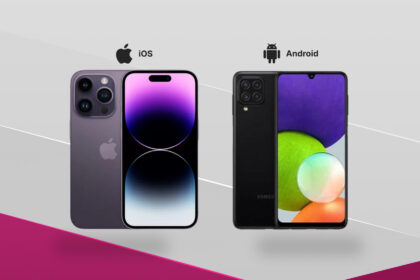
On iPhones, basic battery health data is visible in system settings. On Android devices, accurate battery health often requires diagnostics tools. A battery below acceptable health thresholds may still “work”, but it will not meet buyer expectations.
Step 4: Test cameras, biometrics and sensors
This is where manual testing often fails.
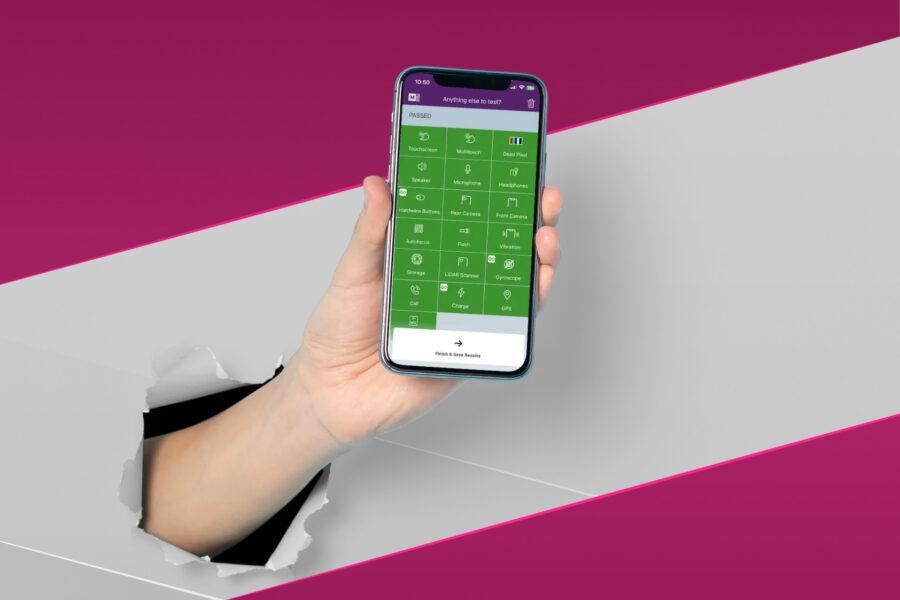
Test all cameras, including focus, zoom and flash. Then verify biometric features such as Face ID, Touch ID, or fingerprint readers. These components directly affect resale value and buyer satisfaction.
Sensor checks are equally important. Proximity sensors, accelerometers, gyroscopes and ambient light sensors may fail partially without obvious symptoms. These failures are hard to explain after sale – and even harder to dispute.
Step 5: Check network connectivity and SIM functionality
A phone that cannot reliably connect is effectively unusable.
Insert a SIM card if possible and confirm the device registers on a network. Test Wi-Fi and Bluetooth connectivity to rule out antenna or board-level issues.
Intermittent network problems are often missed during quick checks but lead to immediate returns once the device is in real use.
Step 6: Verify IMEI status before you commit
IMEI checks are not optional.
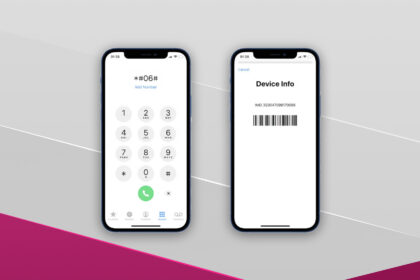
Always retrieve the IMEI directly from the device and confirm it matches physical labels. Then run a blacklist check to ensure the phone is not reported lost, stolen or restricted.
A phone can pass every functional test and still be worthless if the IMEI is blacklisted. These issues operate at the network level and cannot be repaired later.
Why basic testing is often not enough
Manual testing works for catching obvious failures, but it has limits.
Basic checks do not reliably detect:
- early-stage battery degradation
- partial sensor failures
- inconsistent audio or connectivity issues
- mismatches between device identity and hardware
This is why phones that “seem fine” at purchase often fail after resale. The issue isn’t dishonesty – it’s incomplete testing.
As volumes increase, relying on memory and manual routines becomes a risk rather than a safeguard.
Testing for individual buyers vs resale businesses
The depth of testing needed depends on who you are and what’s at stake.
Individual buyers
For individual buyers, testing helps avoid obvious mistakes and scams. Basic functional checks, IMEI verification and lock status confirmation significantly reduce the risk of buying an unusable device.
However, individual buyers typically accept some uncertainty because the device is for personal use, not resale.
Businesses and resellers
For resale operations, testing is part of quality control.
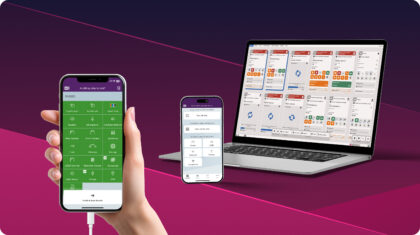
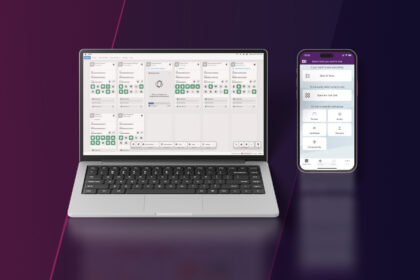
At scale, even a small error rate leads to returns, disputes and lost trust. This is why professional resellers use platforms like M360 to combine hardware diagnostics, battery checks, sensor testing and IMEI verification into a single standardised process.
The goal is not just to test devices, but to prove they were tested.
A simple testing workflow that actually works
A reliable testing workflow does not need to be complex.
A practical approach looks like this:
- Visual inspection to filter out obvious rejects
- Functional checks for buttons, audio and charging
- Battery and sensor evaluation
- Network and IMEI verification
- Documentation of results
- Approve, rework or reject the device
This structure works whether you are testing one phone or hundreds.
FAQ: Testing used phones before buying
1. How long does it take to test a used phone properly?
Manual testing takes around 10 – 15 minutes per device when done properly. This includes visual inspection, functional checks, battery evaluation, network testing and IMEI verification. Automated diagnostics can reduce this time while keeping results more consistent and less prone to human errors.
2. Is visual inspection enough?
No. Many critical issues are not visible and only appear during functional or diagnostic testing, like battery degradation, sensor failures or network problems. Phones that look perfect often fail later because these checks were skipped.
3. Should I always check the IMEI before buying?
Yes. A phone can pass all functional tests and still be unusable if the IMEI is blacklisted or restricted. IMEI issues operate at the network level and cannot be fixed after purchase.
4. What causes most returns in used phones?
Most returns are caused by battery issues, sensor failures, audio problems, network connectivity issues and inaccurate condition grading. These are problems that proper testing would usually catch before sale.
5. How do professionals test phones at scale?
Professionals use specific tools and standardised workflows that combine quick visual checks with automated diagnostics and tamper-proof reports. This reduces human error, improves consistency and protects against disputes after resale.